
Fake iDEAL–Wero Refund Emails: How to Verify the Message
A reported phishing email uses the genuine iDEAL-to-Wero transition as a pretext for an unclaimed refund and identity verification. Here is how the message conflicts with the official process and what to do after receiving or opening it.
A real service transition can make a phishing message feel plausible. As familiar branding changes, criminals can attach an invented deadline, an unclaimed refund, and a verification link to information that is otherwise true.
On August 24, 2026, the Dutch Fraudehelpdesk published a reported email impersonating iDEAL and Wero. It claimed that the move to a new European payment standard had uncovered a Worldpay refund and asked the recipient to complete a supposedly secure verification process.
The official iDEAL guidance draws a clear boundary: consumers are not asked by email to verify their identity, make a payment, activate Wero, or follow a link to an iDEAL account. New payment features are activated through the consumer's own bank and its secure environment.
The Real Transition and the Invented Procedure
The iDEAL-to-Wero transition is genuine and is being introduced in stages. Official transition material says the first phase began in the first quarter of 2026. Consumers may see combined iDEAL and Wero branding while the familiar bank-based payment experience continues.
That genuine change does not create a reason to verify an identity on an external page. The useful question is not only whether the transition exists, but whether iDEAL or the consumer's bank actually uses the procedure described in the email.
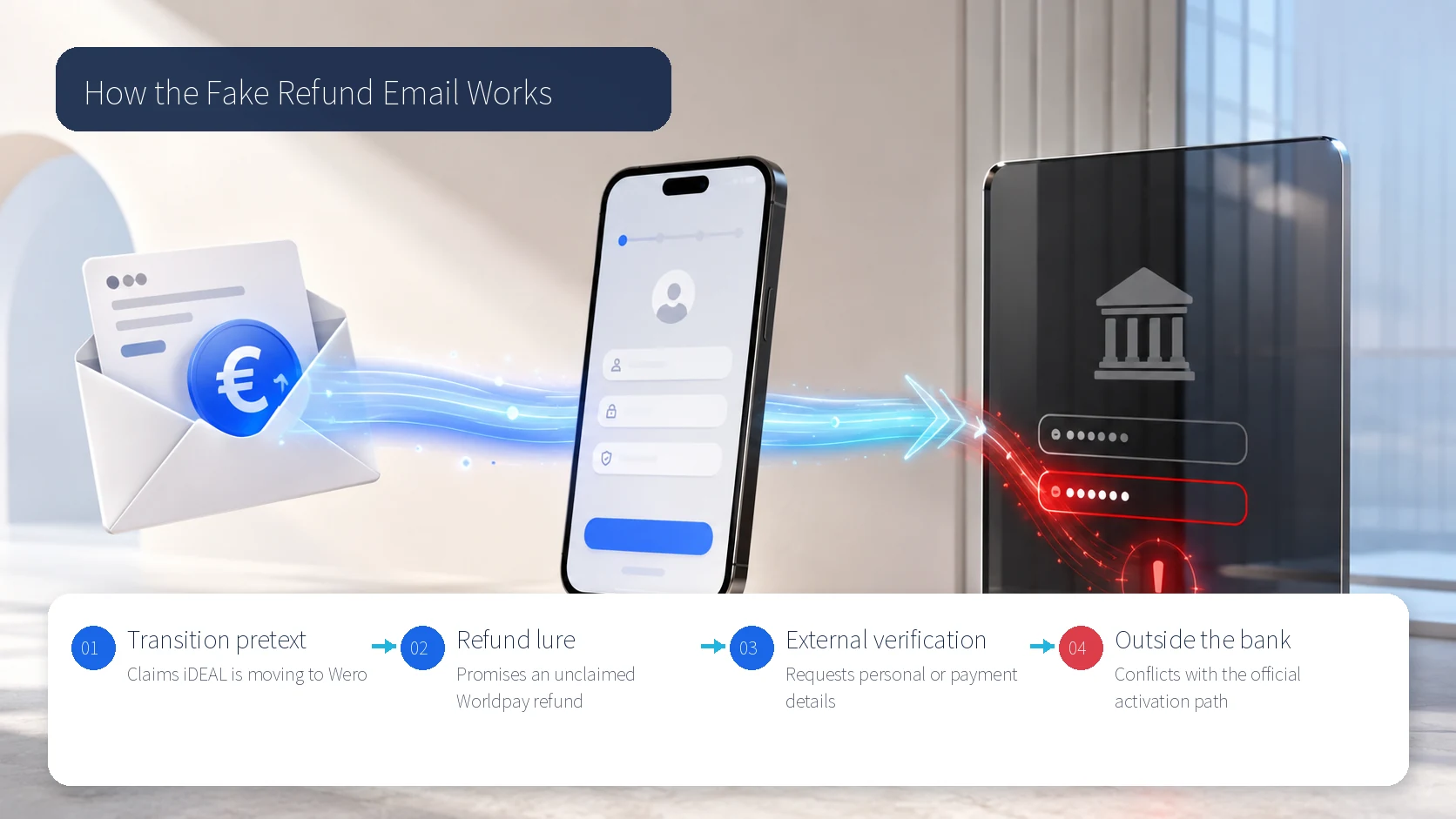
How the Reported Email Builds Trust
The message presents itself as Wero Netherlands, refers to a forthcoming payment change, and claims a previous Worldpay transaction left money to be refunded. The refund story reduces the need for an immediately recognizable purchase because the message says the money was found during a transition review.
It then frames the next step as a one-time security check. Words such as secure and verification do not prove that the linked site is genuine. The official process matters more than the visual appearance of the page.
iDEAL lists mandatory verification deadlines, external Wero activation, account-blocking threats, and copied iDEAL or Wero logos among the signs found in current phishing campaigns. A correct logo or a true reference to the transition is therefore not enough to trust the request.
Checks Against Official Guidance
- iDEAL does not ask consumers to verify their identity by email.
- It does not request a payment or Wero activation through an email link.
- It does not threaten to block an account to force email-based verification.
- Official messages do not request passwords, personal details, or payment information by email.
- Activation of new payment features takes place through the consumer's own bank and secure banking environment.
The sender address is one clue, but it should not be the only check. Display names can be imitated and lookalike domains can be hard to spot on a phone. Close the message, type the official address yourself, or open the banking app you normally use.
Safe Verification Sequence
- Do not open links or attachments while reviewing the sender, subject, and requested action.
- Compare the message with the official iDEAL communication page and your own bank app.
- Look for the claimed refund in your bank statement and the original merchant's order record.
- Preserve the original message and forward it to valse-email@ideal.nl.
- Delete it after retaining the information needed for reporting.
The purpose of this sequence is to leave the timetable set by the email. A deadline or account warning should not determine the channel you use. A legitimate transition or refund must be independently verifiable without relying on the button in the message.
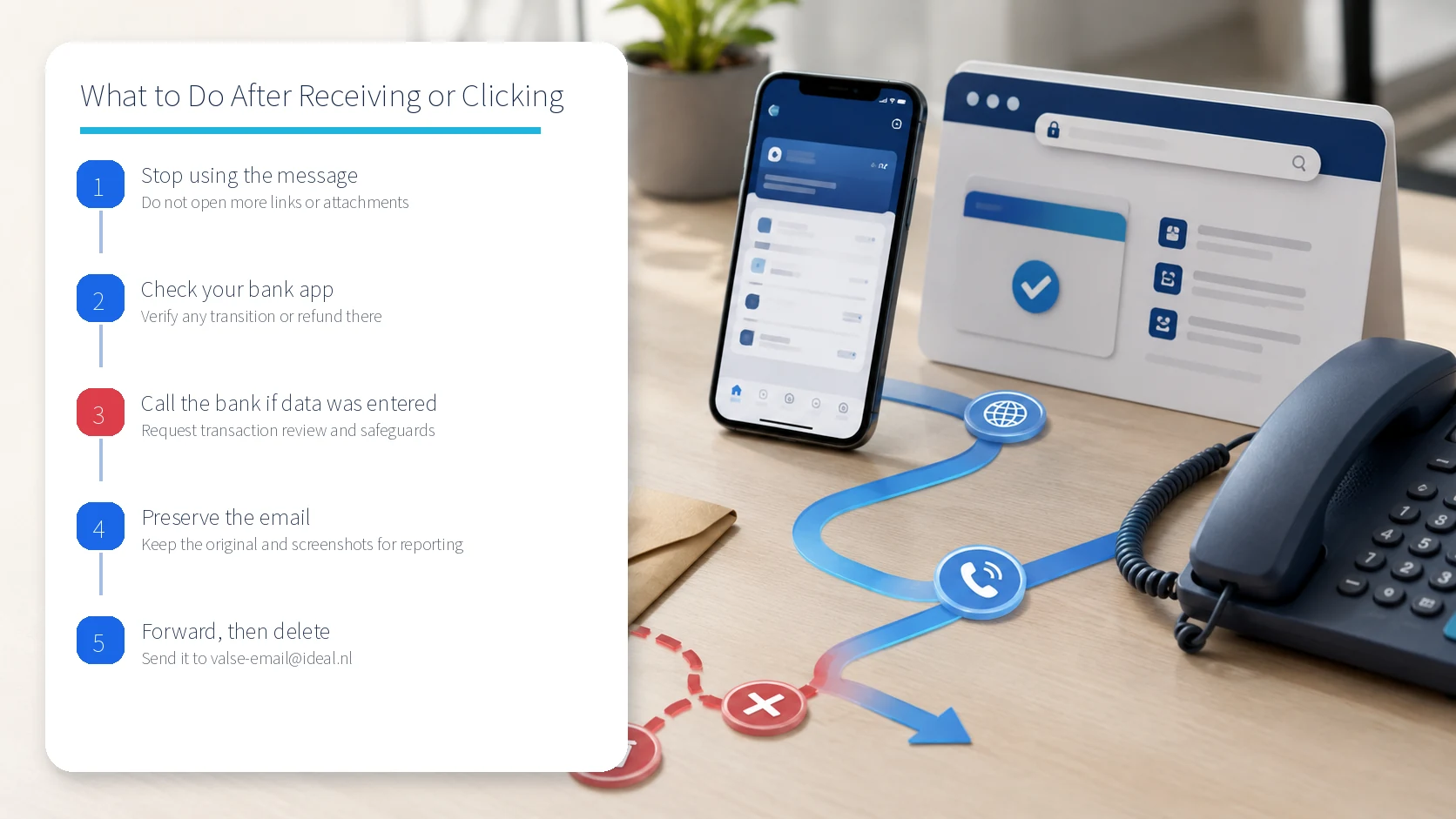
If You Opened the Link
If you only opened the page and entered no personal or financial information, close it and stop interacting with the message. Report the email and delete it after retaining what you need for the report.
If you entered banking credentials, card details, a PIN, or a verification code, contact your bank immediately using its app, the number on your card, or its official website. Ask the bank to review transactions and apply any safeguards it considers necessary.
If you opened an attachment, Dutch police guidance recommends having the device checked for malicious software before changing passwords and resuming online banking. Explain the situation to the bank and preserve the original email and any screenshots for a police report.
Final Decision Rule
A previous iDEAL transaction does not validate a refund message. Verify the refund, the paying party, and the required procedure independently. Treat the real transition and the action demanded by the email as two separate claims.
Restart the process from your own bank or the official service. Do not let the email define the channel for a refund or identity check.
Sources reviewed
- iDeal-WeroNL – Uw terugbetaling staat voor u klaar. Zo neemt u hem in ontvangstFraudehelpdesk
- Mail van iDEAL | WeroiDEAL · Official source
- Naar WeroiDEAL · Official source
- Ik ben slachtoffer van phishingPolitie Nederland · Official source
SECUFOCUS NOW reorganized and analyzed the material above. This article does not replace the original sources.
Related SecuNote articles

Cloned Car Dealership Websites: How to Verify a Vehicle Before Paying
Scammers are cloning real car dealership websites, listings, photos, reviews, and sales policies to demand upfront wire payments…
Unfamiliar Configuration Profile on iPhone? Check Management and Secure the Device
Configuration profiles can apply work or school accounts, VPN settings, certificates, and other controls to an iPhone. This guide…
Fake Buyer-Protection Portals: Refund, ID and Bank-Detail Checks
A newly disclosed HKICL impersonation scheme combined refund support, identity verification, bank details, a fake wallet and an…
Comments
No comments yet.