
What Is an SBOM? Understanding the Inventory Behind Software Components
A Software Bill of Materials records the components, versions, suppliers, identifiers, and dependency relationships inside a software product. This guide explains what belongs in an SBOM, when to generate it, and how to keep it useful for vulnerability response.
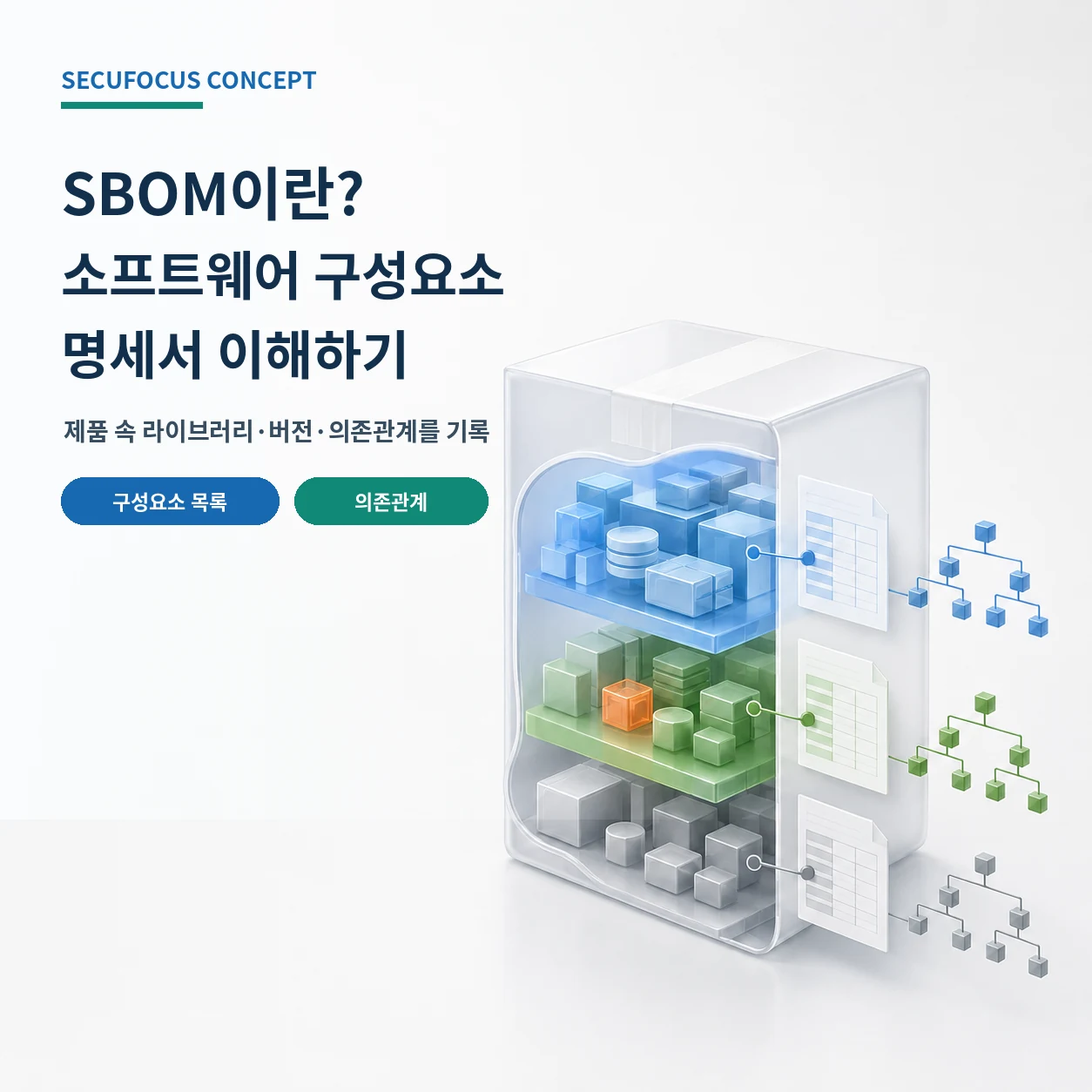
The missing link between a new vulnerability and your product
When a new library vulnerability is disclosed, the first operational question is whether that component exists in any deployed product. Developers inspect repositories and lockfiles, operators look for deployed versions, and buyers ask suppliers for an impact statement. A product assembled from many direct and transitive dependencies can make that answer unexpectedly slow. A conventional asset inventory usually stops at the product and installed version; it does not enumerate what is inside the product.
A Software Bill of Materials, or SBOM, fills that gap. NIST defines an SBOM as a formal record of the details and supply-chain relationships of components used to build software. If a finished application is a packaged food, the SBOM resembles an ingredient label that records each ingredient, its supplier and version, and how ingredients relate to one another. The difference is that an SBOM is structured so machines can ingest and compare it repeatedly.
What an SBOM records
Each SBOM record usually represents one software component: an internally developed module, an open-source package, or a commercial library included in the final product. A filename alone is ambiguous, so useful records combine the component name with the supplier, version, unique identifiers, and dependency relationships. The author of the SBOM data and its timestamp establish who produced the record and which point in the product lifecycle it represents.
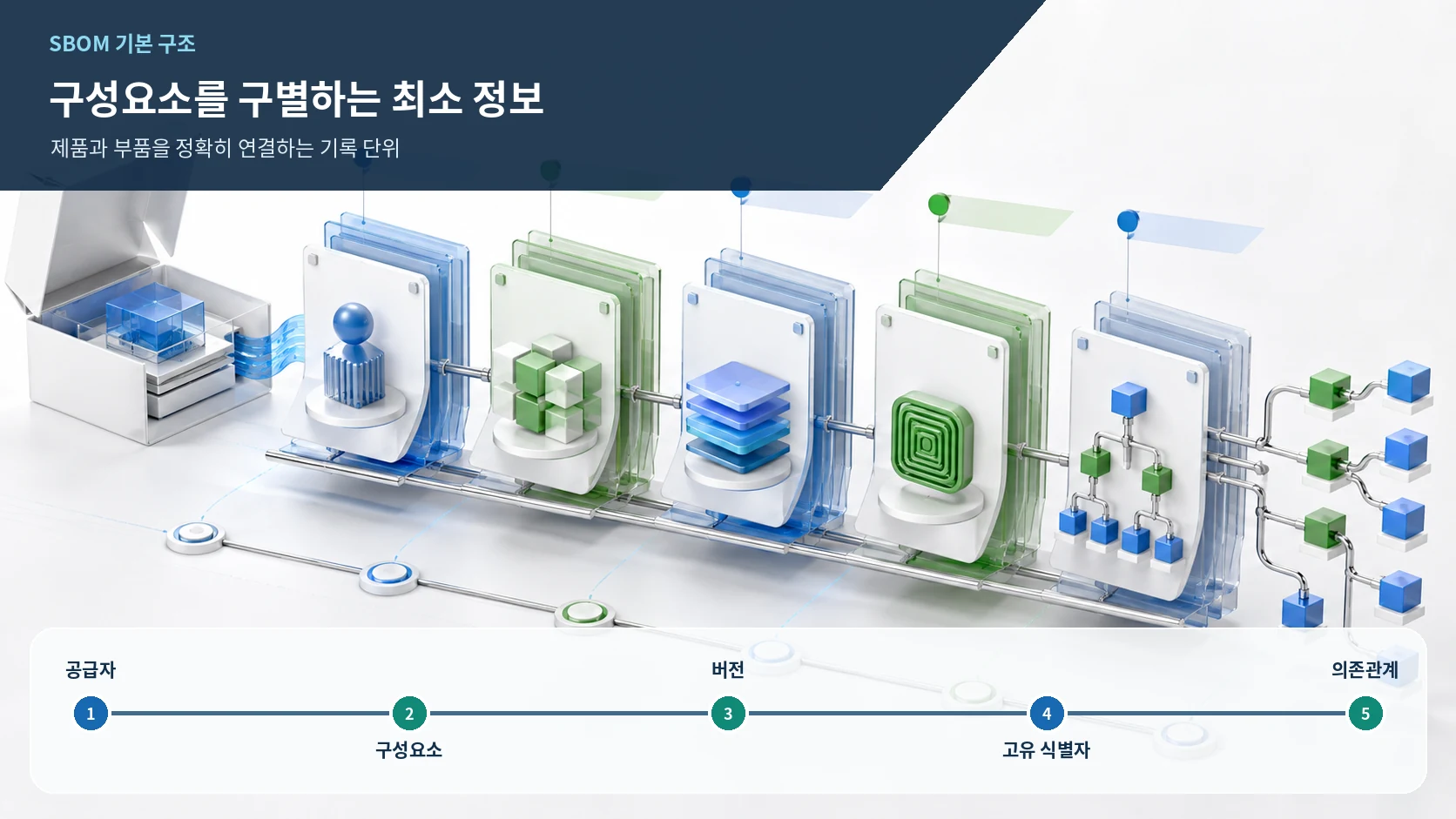
Minimum data and dependency relationships
The minimum data fields identified by the U.S. NTIA are supplier name, component name, component version, other unique identifiers, dependency relationship, author of the SBOM data, and timestamp. Together they distinguish a precise component release from similarly named software and allow automated matching against vulnerability data. A list with missing versions may look complete to a reader while remaining unusable for deciding whether a version-specific advisory applies.
Dependency relationships show how components enter the product. If the application directly uses package A and A depends on package B, B may be present even though no developer selected it directly. Representing parent and child relationships helps teams trace an affected transitive component back to the package or supplier that can update it. It also prevents a flat list from hiding the route by which a component entered the release.
Unique identifiers reduce naming ambiguity across tools and organizations. Package names may be shortened, capitalized differently, or reused by unrelated projects. A standard identifier such as a package URL can improve matching between the SBOM repository and vulnerability data, but operators should still cross-check the name, supplier, and version to filter erroneous matches.
Generation point and release identity
An SBOM becomes more reliable when it is tied to the artifact that was actually released. A source repository may include test dependencies and build tools that never ship. Conditional builds can change the final set, while packaging can introduce files after source analysis. Record the build context and connect the SBOM to a product version, image digest, firmware release, or other internal deployment identifier.
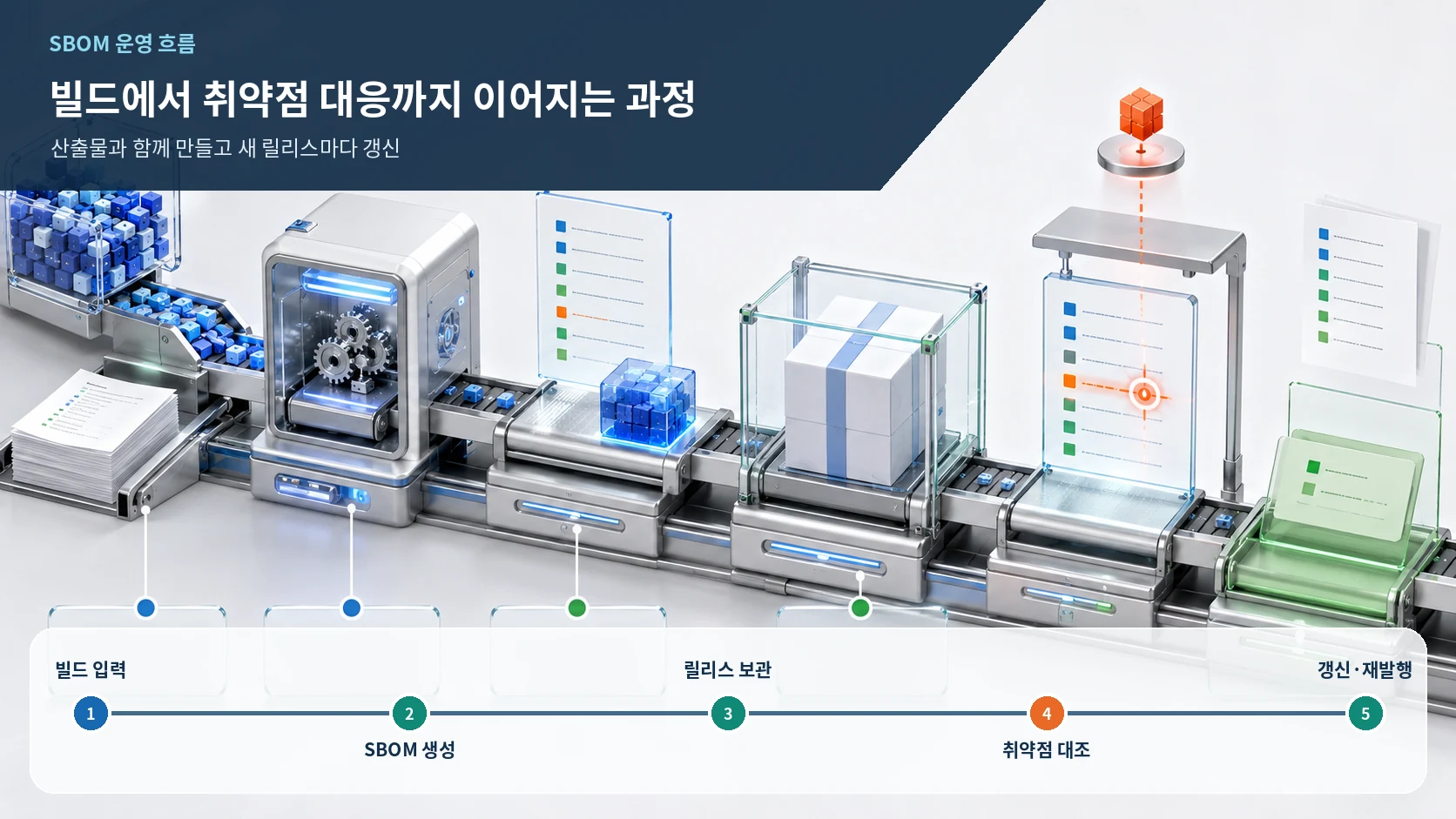
The natural update interval is the release cycle. Adding a dependency or changing a version changes the SBOM. If several product releases remain in service, preserve an inventory for each release so current and historical exposure are not mixed. Supplier-provided SBOMs should be paired with the exact delivered installer, image, or firmware rather than stored only by receipt date.
NIST warns that an SBOM generated retroactively may not recover the same dependency list used at build time. Binary or package analysis can still create a useful inventory for legacy software, but some build-only context may be lost. New releases should generate SBOMs within the build process. For legacy products, document the generation method and detection scope so consumers understand the record's confidence and coverage.
Matching a new vulnerability
After a new vulnerability is published, teams compare the affected component and version range with the SBOM repository. A match identifies candidate products and releases. Dependency data then shows whether the component is direct or transitive. Operators must still evaluate whether the relevant function is used, how the product was built, where it is deployed, and whether the attack conditions are reachable. The SBOM answers where a component exists; it is not an automatic verdict that exploitation is possible.
Suppose an advisory affects only the 2.x branch of a library. Instead of searching every system by product name, the team can find records with that component and version range, then enrich the results with product ownership, service criticality, and exposure. After remediation, the deployed version must be verified and a fresh SBOM retained for the corrected release. Otherwise later searches may continue to report the old state.
Operational validation
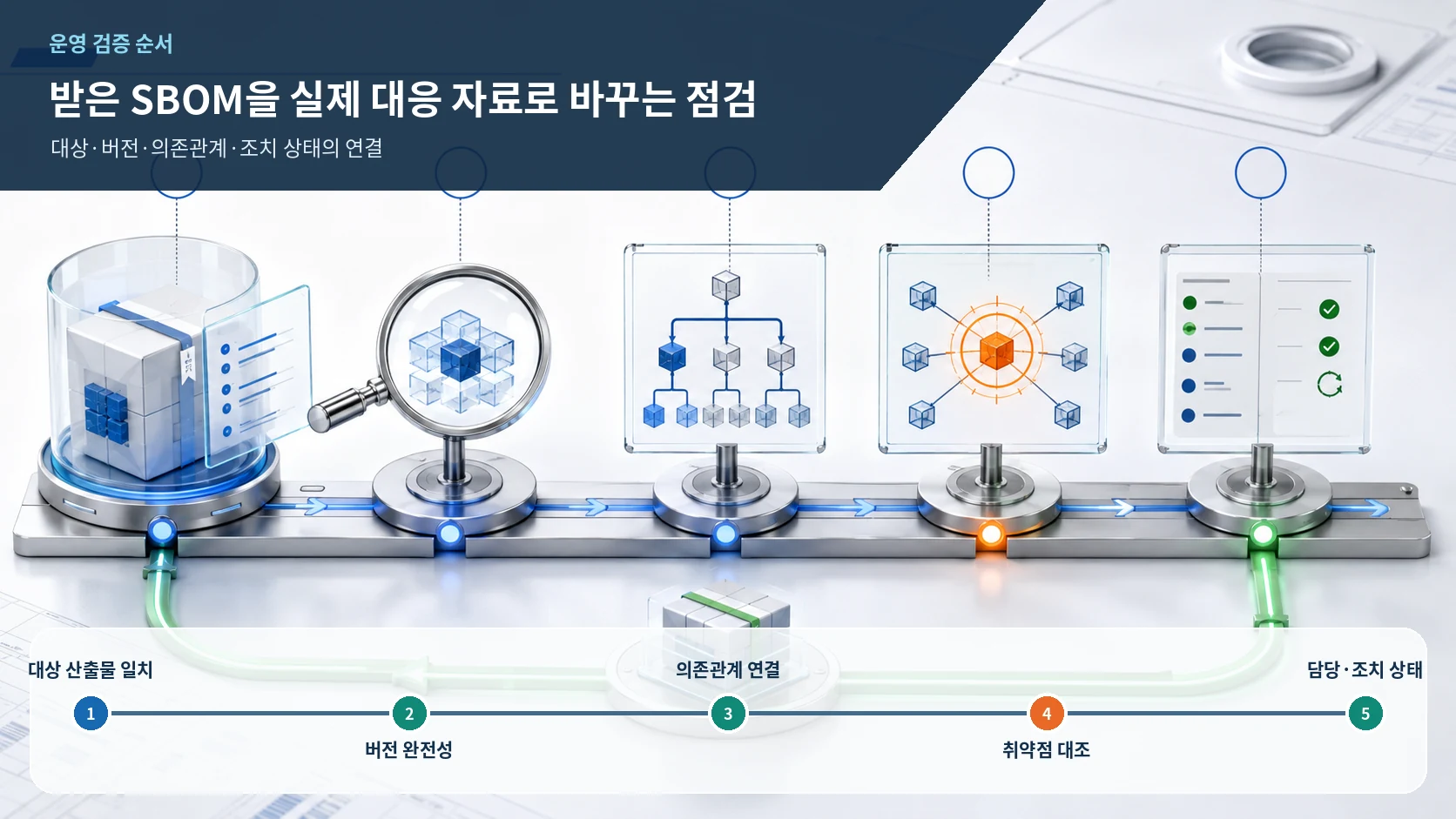
- Artifact identity: confirm that the SBOM describes the installer, container image, or firmware release actually deployed.
- Version completeness: find records with missing versions or identifiers and repair the generator settings or source data.
- Dependency coverage: trace sample components from the final product through direct and transitive relationships.
- Vulnerability matching: review component and version matches together with feature use, deployment location, and exposure.
- Ownership and status: record the product owner, due date, fixed release, deployment result, and refreshed SBOM.
Machine-readable formats
An SBOM can be presented as a PDF or spreadsheet for human review, but repeated matching across many products requires machine readability. NIST identifies SPDX, CycloneDX, and SWID as established format options. Selecting a format is only the beginning: repositories and vulnerability workflows must reliably preserve and parse the fields that matter. A conversion that drops versions, identifiers, or dependency relationships undermines the resulting automation.
Automation makes the process repeatable at scale. A build can generate the inventory, store it beside the release, and re-query it whenever new vulnerability data arrives. Successful file generation is not sufficient quality evidence. Track unexpected drops in component count, missing-version rates, broken dependency links, and unexplained differences from the prior release.
What an SBOM does not decide
An SBOM is foundational transparency data, not a certificate that the product is secure. The presence of a vulnerable component does not prove that every deployment satisfies the attack conditions. An inventory with no known vulnerable component does not cover flaws in custom code, insecure configuration, or exposed administrative functions. Those questions require separate technical and operational analysis.
NIST states that SBOMs complement rather than replace supply-chain risk management, vulnerability management, and supplier assessment. Storing an SBOM without ingesting, analyzing, and acting on it does not change the security posture. The record becomes operationally useful only when it remains accurate, current, tied to a release, and connected to ownership and remediation.
KISA's software supply-chain security assessment service in Korea includes SBOM generation and analysis to identify vulnerable open-source components and connect findings with remediation consulting. Organizations starting their own program can learn more from completing one full cycle—generation, validation, matching, remediation, and reissue—for a high-impact product than from collecting inventories for every product without an operating process.
Summary
An SBOM is a structured record of the components and relationships inside a software product. It should include supplier, component, version, identifiers, dependency relationships, author, and timestamp, and it should be bound to the released artifact. When a vulnerability appears, the inventory narrows candidate products; operators then validate the environment, assign ownership, remediate, and refresh the record for the next release. Accuracy, freshness, machine readability, and an operating workflow determine whether the SBOM saves time when it is needed.
Sources reviewed
- Software Security in Supply Chains: Software Bill of Materials (SBOM)NIST · Official source
- The Minimum Elements For a Software Bill of Materials (SBOM)U.S. NTIA · Official source
- SBOM 기반 공급망 보안 모델 구축 사례집한국인터넷진흥원 · Official source
SECUFOCUS NOW reorganized and analyzed the material above. This article does not replace the original sources.
Comments
No comments yet.