
Consumer Security Briefing: Fake Streams, Delivery Alerts, and Recruitment Emails
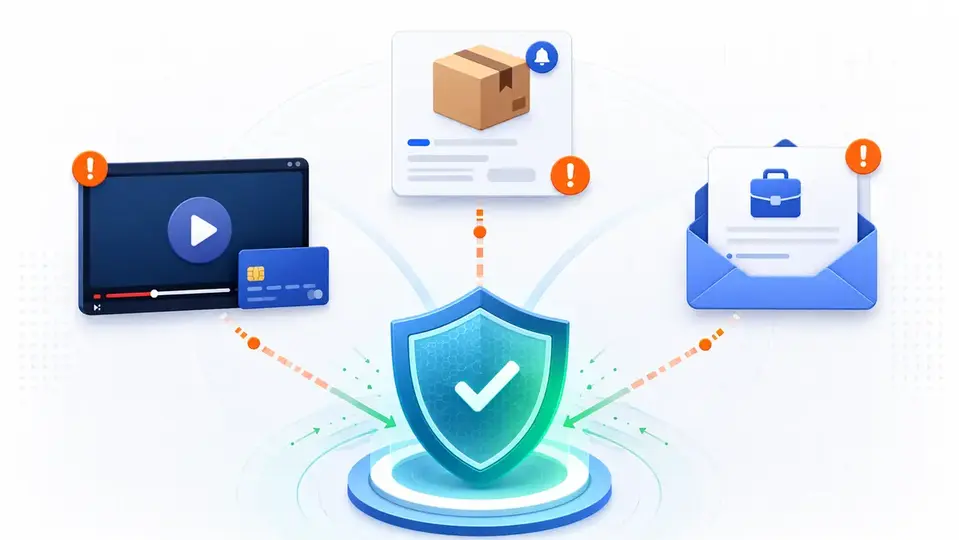
Recent scam activity has borrowed contexts people already trust: a film they want to watch, a parcel they expect, or a job offer they hope is real. This briefing gives separate response steps for clicks, credential entry, card entry, and file execution.
Time and scope
Cut-off and retrieval time: August 15, 2026, 4:11 p.m. KST. The period covered is August 9, 2026, 12:00 a.m. through August 15, 2026, 4:00 p.m. KST. Candidates were compared with SECUFOCUS coverage of social-media shopping ads, fake customer support, upfront-payment fraud, and identity-document misuse; only situations with a different response path were retained.
This week's shared feature is context. A film someone wants to watch, a parcel they expect, or a job offer they hope is real can make a message feel pre-verified. The safer response is to abandon the route supplied in the message and look for the same information through an app or address the user already knows.
Fake streaming splits into payment forms and executable files
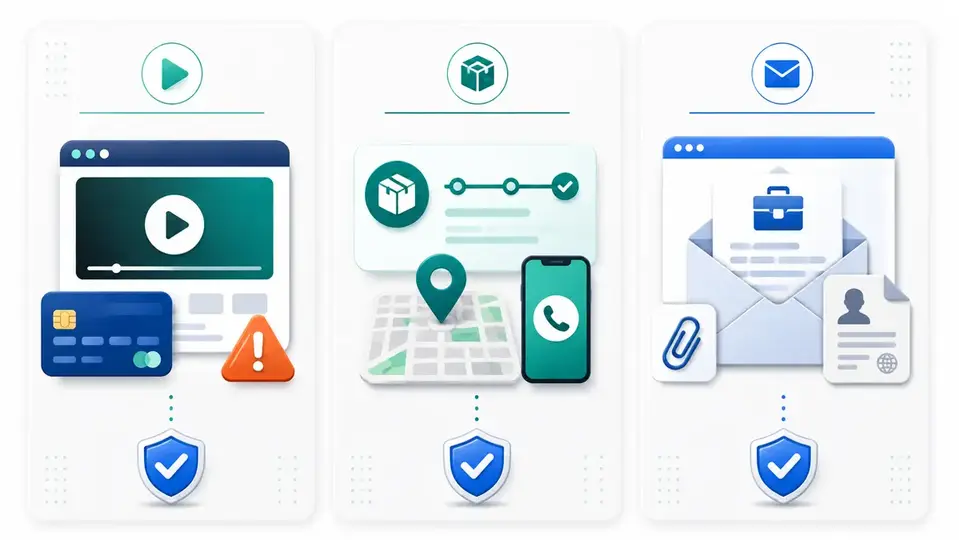
A report published on August 9 described fraudulent sites claiming to stream a newly released film for free. The pages adapted their language and displayed convincing reviews, then collected a name and email address before requesting card details to activate a supposedly free trial. An implausibly early release, an unfamiliar service that wants a card, and glowing reviews visible only on that site are enough reasons to stop.
A report on August 11 described downloads named to look like movie files that were actually Windows executables. Running one could install an information stealer aimed at browser data and credentials. If a movie, subtitle, or codec arrives as an .exe, .msi, or .scr file, the user is being asked to install software, not play media.
Someone who only opened the page and entered nothing should close it and inspect the browser's download list. If card details were submitted, contact the card issuer through its official app or the number printed on the card, discuss blocking or replacement, and review transactions. If an executable was run, disconnect the device, stop using it for banking, and use a clean device to change high-value passwords and revoke sessions.
Leaked delivery data can make a fake message unusually accurate
On August 11, Windows Central wrote that Valve had notified affected European customers after a cyberattack involving its shipping partner, CEVA Logistics. The described data covered names, delivery addresses, phone numbers, and order or product details for some Steam Machine and Steam Controller buyers. The customer notice quoted in the article excluded payment data, Steam passwords, and Steam Guard codes. The affected group described in the article consists of European shipping customers.
A scammer who knows the buyer's name, product, delivery address, and phone number can send a specific request to correct an address, pay a customs charge, or fund redelivery. Accurate order details do not authenticate the sender. Open the retailer, platform, or carrier's official app independently and compare the status there.
Steam's support documentation says employees do not contact users through Steam Chat, Discord, or another chat service to resolve account problems; support is handled through the Steam Support site. A delivery message that asks for a Steam Guard code or offers to fix a reported account is not a shipping step.
Recruitment phishing borrows authority and hope
A local article published on August 15 said Maharashtra cyber police had warned about emails impersonating the Indian Army. The messages claimed recipients had been selected for a free internship with a monthly stipend of ₹75,000. The article concerns an Indian warning and does not describe Korean victims.
The format can be localized easily: an unsolicited selection notice, a move to a messaging app, then requests for an ID image, bank details, a face video, an app installation, or a fee. Verify that the vacancy exists on the institution's own recruitment site, compare the sender's domain with the official website, and ask whether the recipient actually applied.
An instant final selection for a role never applied for, requests for banking or biometric data before ordinary screening, and demands for deposits, training charges, or equipment fees are strong stop signals. Check the true file extension before opening an attachment. If a document requires disabling security controls or installing a program, call the organization using contact details found independently.
The shared path
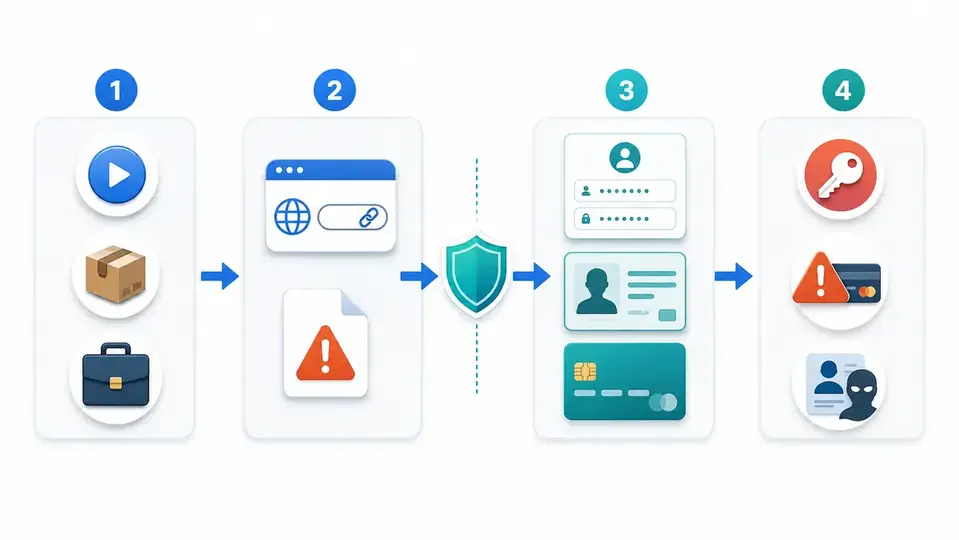
Each scheme borrows trust from a real interest or activity, then moves the user to an unfamiliar link or file and asks for credentials, identity data, or payment information. The outcome branches into account theft, unauthorized charges, or identity misuse. The lowest-cost interruption point comes before opening the supplied link and again before accepting the file type or site address.
If the message matches a real order, can it be trusted?
No. Stolen order data can make a phishing message accurate down to the product and delivery address. Correct personal information shows only that the sender obtained it somewhere. Close the message and check the order through a known app, bookmark, or manually typed address.
Checks to complete this week
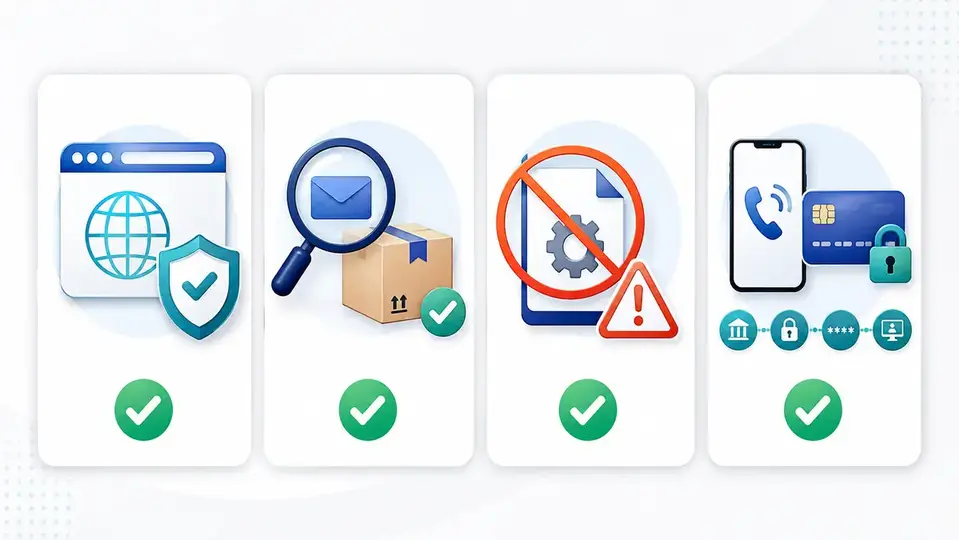
- Stop if a site advertising an unreleased film or free sports stream asks for card details or an executable download.
- On Windows, reveal file extensions; do not run a supposed video ending in .exe, .msi, or .scr.
- Verify delivery alerts by opening the merchant or carrier's official app and checking the order number there.
- For unsolicited jobs or internships, find the vacancy on the organization's recruitment site and compare domains.
- If a password was entered, change it from a clean device, sign out other sessions, and review two-step verification and recovery methods.
- If card data was submitted or a payment occurred, call the bank or issuer through an official channel immediately and review transactions.
What to do after clicking, entering data, or running a file
- If only the link was opened and nothing was entered or downloaded, close it and inspect recent downloads and newly installed browser extensions.
- If a password was entered, use a clean device to change that account and any account reusing the password. Revoke sessions and review recovery settings and two-step verification.
- If card details were entered or money was sent, use the issuer or bank's official number—not one in the message—to request an immediate block and transaction review.
- If a file was executed, disconnect the device and stop using financial or work accounts on it. Arrange a trusted security scan or professional help, then clean up account sessions from a known-good device.
Korean impact and the transferable pattern
The three source sets concern an international streaming scam, European delivery customers, and an Indian recruitment warning; they do not name Korean victims. The underlying formats—video files disguised as executables, parcel messages enriched with real order data, and government or employer impersonation—can be localized with little effort. In Korea, preserve screenshots and transaction records after financial loss or account compromise. Reports can be started through the Korean National Police Agency's ECRM service, with 112 available for urgent situations.
One habit for the week
Do not use a message as the path to verification. Read the alert, close it, and look for the same claim through the official app or an address entered independently. That habit interrupts all three schemes before they can ask for data or code execution.
Related SECUFOCUS guides
- Sent a Photo of Your ID? How to Block Phone, Account, and Loan Identity Fraud in Korea — https://secufocusnow.com/en/notes/id-photo-identity-theft-blocking-guide-korea
- Suspicious Social-Media Store? Checks Before Payment and Steps After a Scam — https://secufocusnow.com/en/notes/social-media-ad-shopping-scam-response-guide
Sources reviewed
- ‘Watch The Odyssey for free online’: scam targets film fans with fake streaming sitesThe Guardian
- Malware infections hit one in five illegal streamers in past yearBeStreamWise · Official source
- Valve's shipping partner leaks shipping data in a cyberattackWindows Central
- Restricted Steam AccountSteam Support · Official source
- Fake mail about Indian Army's Rs 75k internship sparks cyber fraud alertThe Times of India
- 사이버범죄 신고시스템(ECRM)경찰청 사이버범죄 신고시스템 · Official source
SECUFOCUS NOW reorganized and analyzed the material above. This article does not replace the original sources.