
August 17 Security Briefing: Three WordPress Plugin Flaws Affect Uploads, Admin Access, and Booking Data
Three newly published WordPress plugin vulnerabilities affect file-upload validation, administrator account authorization, and booking-data access. This briefing explains the distinct attack paths, affected versions, and a practical verification sequence for each plugin.

Today’s security issues
Three WordPress plugin vulnerabilities published on August 16 affect different trust boundaries. ProSolution WP Client mishandles an upload filename, Frontend Admin by DynamiApps can skip authorization during user-account changes, and WP Travel Engine fails to enforce object-level authorization on booking records. Operators should compare the installed plugin, version, and exposed feature instead of treating them as one generic WordPress problem.
The inventory must start with plugins rather than the WordPress core version. A site that exposes a job-portal shortcode, one that publishes a frontend user form, and one that operates travel checkout have different attack surfaces. Record the plugin directory, installed version, and public route, then retest each authorization boundary after updating.
At a glance
- ProSolution WP Client 2.0.10 and earlier: an unauthenticated upload path can accept a manipulated Content-Disposition filename. Update to 2.0.11 or later.
- Frontend Admin by DynamiApps 3.29.9 and earlier: a crafted user identifier can skip a capability check and lead to administrator account changes. Update to 3.29.10 or later.
- WP Travel Engine 6.8.4 and earlier: an attacker can bind an arbitrary booking ID to a session and retrieve checkout defaults containing customer details. Update to 6.8.5 or later.
New priority CVEs
ProSolution WP Client upload bypass
CVE-2026-16098 affects ProSolution WP Client through version 2.0.10. The vulnerable proSol_handleFileUpload path does not adequately validate an attacker-controlled filename in the Content-Disposition header. A public page rendering the job-portal shortcode can expose the nonce needed to reach the upload path, allowing an unauthenticated visitor to submit the request.
A mismatch between the filename validated in the multipart flow and the filename used during storage can leave an executable file in a web-accessible directory. On servers configured to execute that file type, the result can be remote code execution. Review both the plugin version and the upload directory, including recently created scripts, double extensions, and unexpected file names.
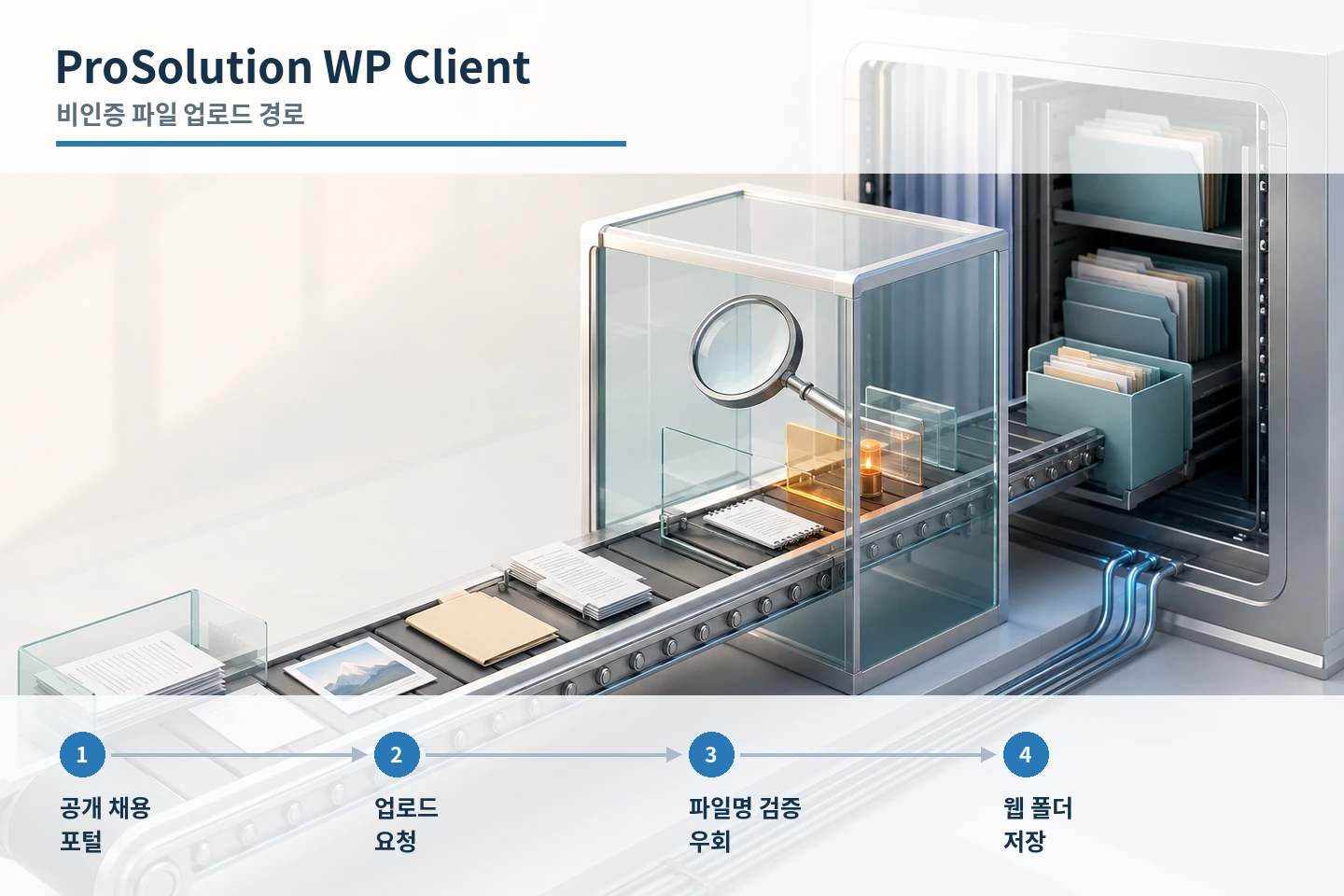
- Identify ProSolution WP Client installations at version 2.0.10 or earlier.
- Locate public job-portal pages and applicant attachment features.
- Inspect upload directories for recent executable or double-extension files.
- Update to 2.0.11 or later and retest allowed and blocked uploads.
- Restrict script execution in upload directories where the server supports it.
Frontend Admin account-change path
CVE-2026-18432 affects Frontend Admin by DynamiApps through version 3.29.9. ActionUser::conditions_logic() performs current_user_can('edit_user', $user_id) only when the supplied user identifier is classified as numeric. A crafted nonnumeric item_id can bypass that branch and later be coerced by WordPress to user ID 1, enabling changes to the administrator email address or password.
The authentication requirement depends on site configuration. A public frontend user form can expose the vulnerable action without login; a restricted form requires at least a subscriber account. Inventory the form itself, cached pages, and page-builder templates in addition to checking the plugin version.
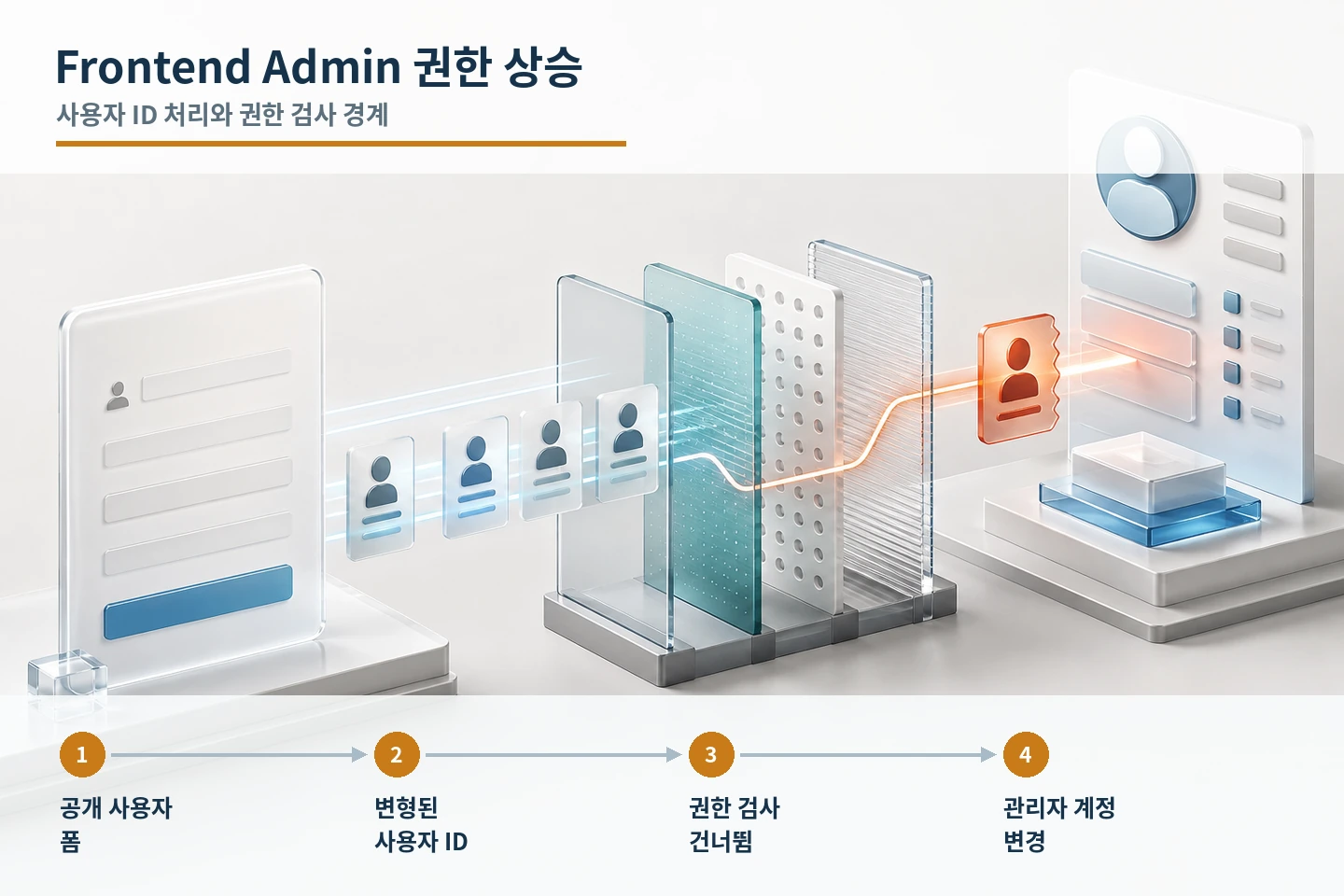
Update to 3.29.10 or later. Review administrator email and password changes, newly created privileged accounts, subscriber activity, active sessions, application passwords, and related API tokens. An update closes the vulnerable path but does not reverse an account change that already occurred.
- Identify affected installations and public frontend user forms.
- Test access boundaries for unauthenticated, subscriber, and administrator roles.
- Review administrator changes, new privileged accounts, and session records.
- Update to 3.29.10 or later and verify unauthorized requests are blocked.
- Rotate administrator credentials, tokens, and sessions if account changes appear suspicious.
WP Travel Engine booking authorization
CVE-2026-17087 affects WP Travel Engine through version 6.8.4. An attacker can associate an arbitrary booking ID with a session and request checkout defaults. Without an ownership or authorization check on the booking record, the response can expose the traveler’s first name, last name, email address, street address, city, and phone number.
A nonce is an anti-CSRF control, not proof that the requester may read a particular booking. The server must separately enforce ownership or session authorization for every booking ID. This distinction matters when reviewing logs because a valid nonce does not establish that the object-level access was legitimate.
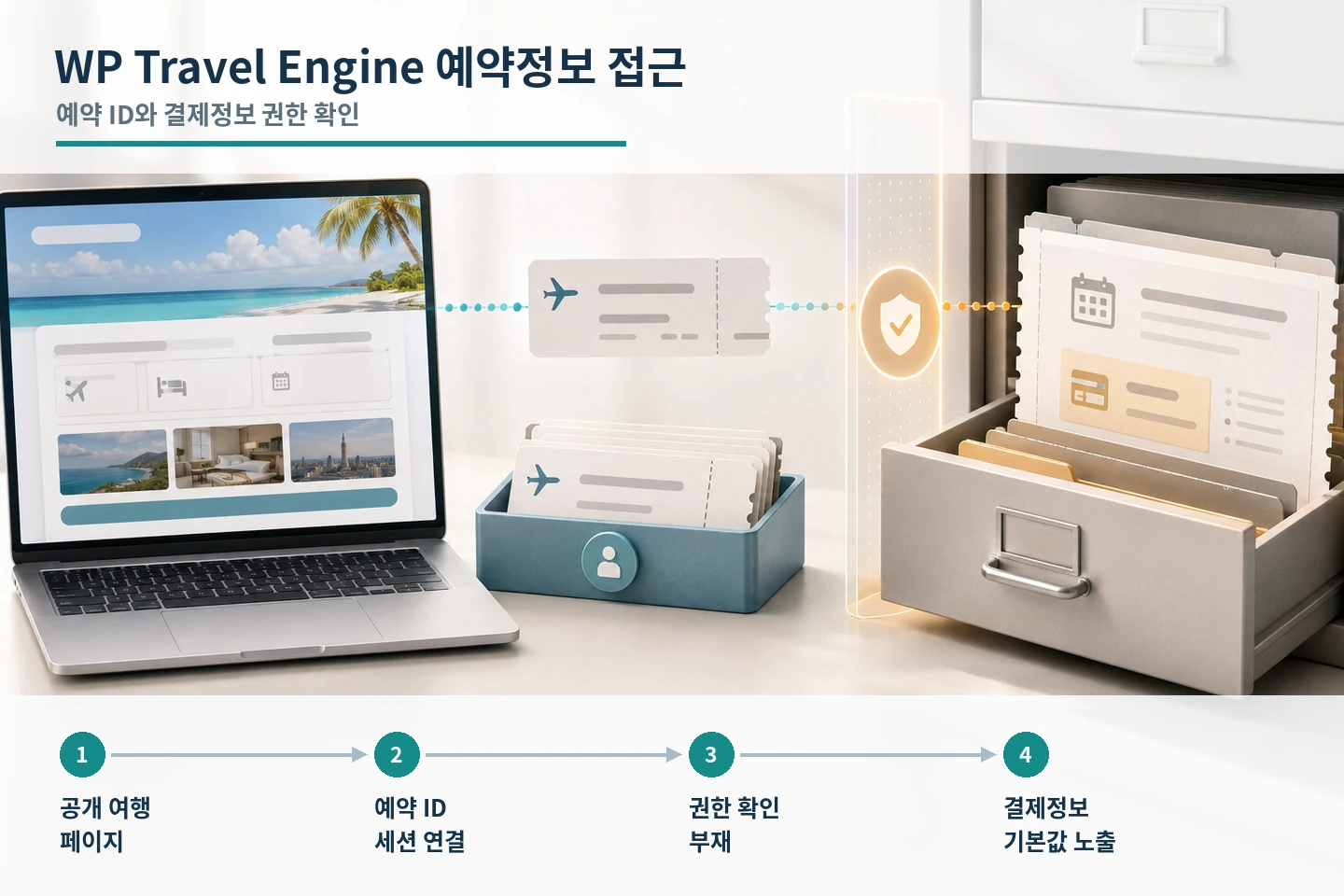
Version 6.8.5 fixes the IDOR issue. After updating, review application, CDN, WAF, and origin logs for sequential booking-ID requests or one session accessing multiple booking records. Align timestamps and request identifiers across layers before deciding whether customer-data response procedures are required.
- Identify WP Travel Engine 6.8.4 or earlier and public trip or checkout routes.
- Review repeated booking-ID access from the same session or IP address.
- Update to 6.8.5 or later and verify cross-user booking access is rejected.
- Align CDN, WAF, and origin-log timestamps and request identifiers.
- Preserve evidence and activate the internal privacy-response process when access is substantiated.
Operational sequence
The common tasks are asset identification and patching, but post-update review must remain product-specific: uploaded files and server execution policy for ProSolution WP Client, administrator accounts and sessions for Frontend Admin, and booking-record access for WP Travel Engine. Keep remediation and compromise assessment as separate work items.
- Map plugin names, directories, installed versions, and exposed features to each site.
- Reduce exposure of the affected feature during maintenance and preserve relevant logs.
- Update through the official WordPress distribution channel to the fixed version or later.
- Retest upload, user-editing, and booking-access boundaries for each role.
- Branch to file isolation, account recovery, or privacy response when product-specific evidence warrants it.
Sources reviewed
- ProSolution WP Client <= 2.0.10 - Unauthenticated Arbitrary File Upload via Content-Disposition FilenameWordfence
- Frontend Admin by DynamiApps <= 3.29.9 - Unauthenticated Administrator Account TakeoverWordfence
- WP Travel Engine <= 6.8.4 - Unauthenticated Booking Information DisclosureWordfence
SECUFOCUS NOW reorganized and analyzed the material above. This article does not replace the original sources.
Comments
No comments yet.